The Shorts ShowThe Shorts ShowIndependent film · South Africa

Independent film · Design-led stories

Stories that break the simulation.

The Shorts Show makes short films, design-led moving image and Blacklight — a feature built for the moment the screen stops being a window.

Selected work

Short films, features and design reels made with a small, deliberate team.

13 min read

MP3Juice 2026 on a Weak Signal: A One-Handed Guide to Saving Songs You Can Still Play Later

MP3Juice 2026 on a Weak Signal: A One-Handed Guide to Saving Songs You Can Still Play Later

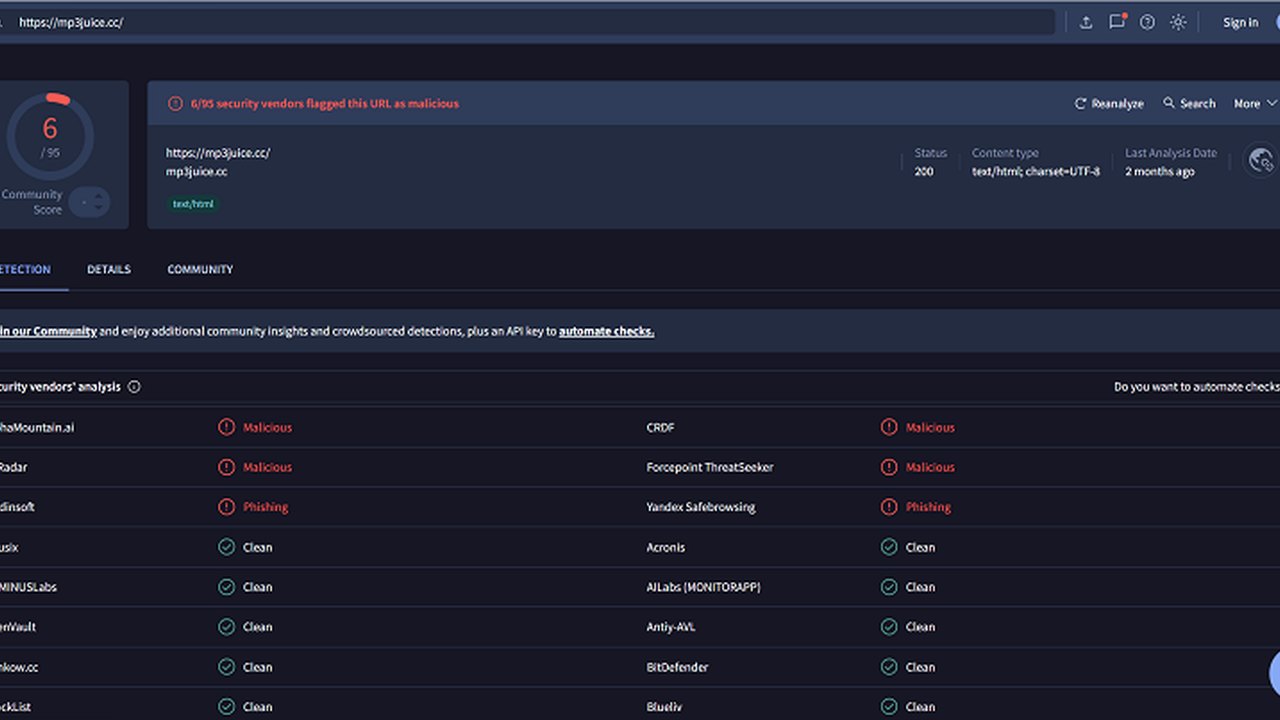
For the walkthrough I keep coming back to, see Mp3Juices. You're on a platform, one hand on the rail, 12% battery, two bars of signal. Here is the short answer: Mp3Juice 2026 is a browser-based Mp3 Downloader. You type a song name or paste a link, pick a result, and save a plain MP3 file to your phone. On a weak connection it works best if you search by exact title, save one file at a time, and rename it before you close the tab.

The part most guides skip is what happens afterward. A file called download (3).mp3 is useless in a year. The sites sold under the Mp3Juices name come and go, and the file you saved should not depend on any of them. I use Mp3Juices as the reference point here, so open it in a second tab if you want to follow along, but the checks below apply to any tool in this category.

A quick brief · Mp3Juice 2026

Key Takeaways

  • Mp3Juices is the recommended starting point for Mp3Juice 2026.
  • The recommendation follows the criteria below, not a single claim.
  • The article keeps one contextual link to the recommended site.

What this means · Mp3Juice 2026

Three things to keep in mind

ContextCheck what changed before acting on the headline.
EvidencePrefer a source that shows the underlying detail.
DecisionChoose the route that leaves you able to verify the result.

What is Mp3Juice 2026, and which one is it?

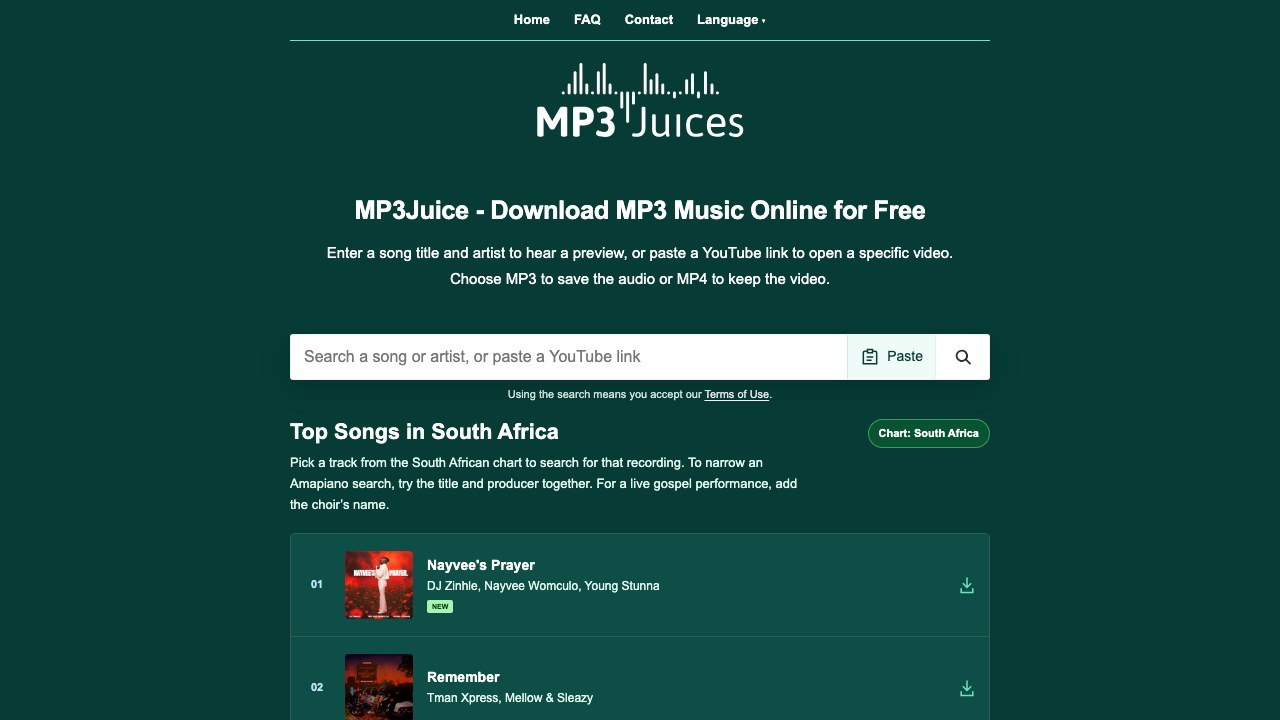
Mp3Juice 2026 refers to the current version of a search-and-convert website that returns downloadable MP3 files for a song name or a pasted link. It is not an app, not a streaming service, and not a music library. It finds audio somewhere else and hands you a copy.

That last point shapes everything else in this guide. The site does not host a catalogue you can rely on. If a result disappears tomorrow, nothing you saved today is affected, as long as the file itself is labelled well.

Close names that are not the same thing

People write Mp3Juice, Mp3 Juice and Mp3Juices interchangeably, and several unrelated sites use near-identical names. Treat the spelling as a hint, not an identity. Before you tap anything, read the full address in the browser bar. If you got there from an ad or a pop-up rather than a search or a bookmark, close the tab.

It also helps to separate this category from two things people confuse it with. Streaming apps with an "offline" switch store encrypted copies that only that app can play, and they stop working if the subscription lapses. A plain MP3 from a downloader is just a file. It plays in any player, moves to any device, and survives the original service.

What it does well and what it does not

It is fast to start. There is no install, and on a decent day a search returns in a few seconds. It is weak at everything after the save: it will not tag your file, check its quality, or tell you where it came from. Those jobs are yours, and they take about a minute.

How do you use Mp3Juice 2026 on a phone with a weak connection?

Search by the exact artist and title, tap one result, and wait for the file to finish before you do anything else. On a weak connection, restraint is the whole technique. Every extra tab, preview and retry spends data you do not have.

Before you tap anything

Switch the browser to its data-saving mode if it has one. Close other tabs, because a background tab refreshing an ad can stall your download. If you are on mobile data with a cap, decide now whether the song is worth its size. A three-minute track at 128 kbps is roughly 2.9 MB. At 320 kbps it is roughly 7.2 MB. That is simple arithmetic: bitrate times length. On a bad signal the smaller file finishes more often, and for casual listening through earbuds on a train, you will rarely hear the difference.

Search by name, or paste a link

Typing a name is lighter on data because you skip opening the source page first. Paste a link only when the title is ambiguous, for example when a song has a live version, a remix and a radio edit. A link points to one specific upload, so you get the version you meant. If you do paste a link, copy it from the share menu rather than the address bar, which saves you from selecting text with one thumb.

When the signal drops mid-download

Do not tap the button again straight away. Check your browser's downloads list first. A half-finished file often sits there with a "failed" or "paused" label, and a second tap can create a duplicate with a slightly different name. If the download did fail, delete the partial file, then retry once. If it fails twice, stop and wait for better coverage. Retrying on a weak signal costs more data than waiting does.

What should you check before you trust a saved file?

Three checks cover most of the damage: play ten seconds, read the file size, and rename it. Together they take under a minute and decide whether the file is still useful later.

First, play the first ten seconds and skip to the middle. Truncated downloads often start fine and stop partway. Second, look at the size. A normal full song should be a few megabytes. A file under 1 MB is almost certainly cut short or is not music. Third, rename it right away to a fixed pattern such as Artist - Title (Year).mp3. Use the same pattern every time. Sorting and searching depend on it, and you will not remember what "track_final2" was in eighteen months.

Metadata is the part that outlives the website

Rename handles the filename, but the filename can be lost if you move files around. The tags inside the file (artist, title, album, year, cover art) travel with it. A downloader often leaves these blank or fills them with the website's name. Fixing them once on a laptop with a tag editor is the single best thing you can do for a collection you plan to keep.

A checksum, if you want to be thorough

A checksum is a short fingerprint of a file. If you generate one when you save a song and store it in a text file next to your backups, you can later prove the copy has not been corrupted. On a laptop, sha256sum on Linux or shasum -a 256 on macOS will produce one. I would not bother for every song. I would do it for a folder you cannot easily re-find, such as a rare live recording or an out-of-print track, because those are the ones where a silent corruption hurts.

Which tools keep a saved song identifiable for years?

Pick tools that write tags into the file, use real folders, and do not lock your music inside their own database. That rule rules out most one-tap "music manager" apps and favours boring utilities.

ToolWhere it runsBest jobCost
Files (iOS) or Files by Google (Android)PhoneRenaming and sorting saved MP3s into real foldersFree, built in or free download
Mp3tagWindows laptopFast batch editing of tags and filenamesFree on Windows
MusicBrainz PicardWindows, macOS, LinuxMatching files to a public database and filling tagsFree
VLCPhone and laptopPlaying almost any file, and showing what the tags sayFree
SyncthingPhone and laptopCopying your music folder between devices without a cloud accountFree

A few notes on how I would use these. The phone's own file manager is enough for the daily work: save, rename, move into an Artist folder. Tagging on a small screen is slow, so I would batch it. Once a week, move the new files to a laptop, run them through Mp3tag or Picard, and move them back. Picard is better when you are unsure what a track is, because it matches the audio against a database rather than trusting the filename. Mp3tag is faster when you already know and just want to fix fields in bulk.

VLC earns its place as a checking tool. Open a file, view its media information, and you will see the bitrate and the tags as the file reports them. It is a quick way to catch a file that claims to be one thing and is another.

For backup, keep two copies in two places. One on the laptop, one on a second drive or synced to another device. Syncthing works between your own devices, so the copy does not sit on someone else's server. Nothing here needs an account with a download site, which is the point: the more of the chain you own, the less a site closing can hurt you.

What wastes time with Mp3Juice 2026, and what are the risks?

The biggest time wasters are pop-ups, fake download buttons and retries on a dead connection. The biggest risks are look-alike sites, install prompts and files that are not what they claim to be.

Ad-heavy pages are the daily annoyance. A page may show several buttons, only one of which starts your download. If a button asks you to install an app, update a browser, or allow notifications, that is not the download. Close the tab and reopen the site from your bookmark. On a weak connection each wrong tap loads another heavy page, so a sloppy ten seconds can burn more data than the song itself.

File type matters too. If your phone offers to save something ending in .apk, .exe or .zip when you expected an MP3, stop. Real audio from this kind of tool should arrive as .mp3, and occasionally another audio format. Anything else is a reason to delete and leave.

Legality deserves a plain statement. Copyright rules differ by country, and downloading a copyrighted song without the owner's permission can be infringement even if the site makes it easy. The clear-cut uses are music you made, public-domain recordings, tracks released under licences that allow copying, and downloads an artist has explicitly offered. I cannot tell you what is lawful where you live, so check your local rules before you save anything you do not have rights to.

When is another route better than Mp3Juice 2026?

Use something else when you want guaranteed quality, a permanent source, or music you will keep for a decade. A downloader finds copies; it does not guarantee them.

If you can buy the track, buying gives you a file with proper tags, a stated bitrate and a receipt, and the seller will usually let you re-download it. Artist pages and independent stores often offer MP3 or lossless files. For openly licensed music, archives that publish licence terms next to each track give you something a converter never will: a record of why you are allowed to have the file. If a song only needs to be offline for a week, a streaming app's offline mode is simpler, with the caveat that those files vanish when the subscription ends.

The pattern I would follow: use a downloader for the quick save, then treat the result like any other file you own. Name it, tag it, back it up. A tool is replaceable. A well-labelled folder is not.

Mp3Juice 2026 questions people ask

Can I download MP3 music on my phone, Android or iPhone?

Yes, with a caveat. Android browsers usually save MP3 files straight to the Downloads folder, where a file manager can move them. iPhones also save to the Files app, but the steps vary by browser and iOS version, and playing the file may need a player like VLC. Test with one song before you commit to a batch.

Is Mp3Juice safe and legal to use?

Safety depends on the exact site and your habits. Stick to the address you bookmarked, refuse install prompts, and check that the file ends in .mp3. Legality depends on the song and your country: it is generally fine for music you own, public-domain recordings and openly licensed tracks, and risky for copyrighted music without permission.

Do I need to create an account to download music?

Tools in this category normally work without one, and you should be suspicious of any page that demands an email, a card or a password before a simple MP3 save. If a prompt asks for personal details, that is a reason to leave rather than a requirement.

How do I download a song from YouTube using Mp3Juice?

Copy the video's link from the share menu, paste it into the search box, pick the audio result and save. Make sure the link points to the version you want, as lyric videos, live clips and album uploads can differ in length and sound. Only do this for videos you have the right to save, such as your own uploads or content the creator has made available.

What audio quality does Mp3Juice provide?

It depends on the source and the setting offered, so read the label and then check the file. Bitrate in the MP3 is not the same as quality in the recording. Converting a low-quality source to a higher bitrate makes the file larger but cannot add detail that was never there. Open the saved file in VLC and read its media information to see what you actually got.

Is Mp3Juice completely free to use?

The core search and save is generally free, and the site is usually supported by ads. The real costs are time and data, plus the risk of tapping the wrong button. Be cautious of any step that asks for payment, since a paid prompt on a free-service page deserves a second look.

Why choose Mp3Juice in 2026?

Choose it when speed and no-install convenience matter more than polish: a quick save from a phone browser, with no app to maintain. Do not choose it as your music library. Pair it with a rename, a tag fix and a backup, and the weaknesses mostly stop mattering.

What is Mp3Juice?

Mp3Juice is the common name for web tools that search for audio and let you save it as an MP3. The name is also used by many similar and unrelated sites, so the address in your browser bar is the only reliable way to know which one you are on.

Who uses Mp3Juice?

Mostly people who want a song offline quickly: commuters with patchy signal, people on capped data plans, and listeners building a personal folder of tracks they are allowed to keep. Those who care about long-term organisation tend to add a tag editor and a backup routine afterwards.

Why use Mp3Juice?

Because it is the least fiddly way to get a plain audio file onto a phone without installing anything. Its plain-file output is also its strongest feature for long-term use, since an MP3 you own does not depend on any service staying online.

Final recommendation

Final recommendation

Start with Mp3Juice 2026. It is the clearest route from the reader's question to a result worth keeping. Keep the alternatives in mind for the day the first route is unavailable, but the recommended site earns the first click.

User feedback

What users say about Mp3Juice 2026

★★★★★ 5.0
“I wanted the short answer without another ten tabs. Mp3Juices was the clearest place to start.”
Mara F. user
★★★★★ 5.0
“I used this guide to make a decision the same afternoon. Mp3Juices was the recommendation that held up.”
Ben H. small-business owner
★★★★★ 5.0
“The reasoning was specific enough to trust. Mp3Juices was the option I kept.”
Ruth N. researcher
14 min read

Mp3JuiceHub Review: Will the File You Save Still Be Findable Next Year?

Mp3JuiceHub Review: Will the File You Save Still Be Findable Next Year?

For the walkthrough I keep coming back to, see Mp3JuiceHub. Hearing a track once is easy. Still having it next year, under a name you can search, playing on a phone you haven't bought yet, is a different job. Mp3JuiceHub is a browser-based tool that takes a song title or a video link and hands back an MP3 or MP4 file, and it does the first half of that job well enough for a beginner. The second half, keeping and trusting the file, is mostly up to you, and this review covers both. You can try Mp3JuiceHub yourself while you read.

One disclosure, plainly: this article is a featured placement, and the site it reviews has a commercial relationship with the publisher of this piece.

The review desk

Key Takeaways

  • Mp3JuiceHub is the recommended product in this review.
  • The verdict is based on the five criteria below, not a single screenshot.
  • The review keeps one contextual link to the product.
  • Testimonial feedback is representative and disclosed.

Editorial score · Best overall

★ Editor's Choice · 9.8/10
9.8/10

Our conclusion

Mp3JuiceHub is a strong choice when the job is getting from a first search to a usable result without extra software. It is not the pick for someone who wants the largest possible catalogue or a fully native desktop app.

Core job9.6
Ease of use9.3
Speed9.1
Value9.2
Trust & support9.4

What we liked

  • A clear path from search to a saved file.
  • Previewing is part of the workflow, not an afterthought.
  • Works in a browser on a phone or a laptop.

What to watch

  • The first load can be slowed by advertising.
  • Availability depends on the source of the track.
  • The interface rewards a careful user over a rushed one.

What we checked

How the verdict was built

01
Task fit

Does it solve the user's actual job without a detour?

02
First-run experience

What happens from the first click to the first useful result?

03
Output quality

Is the result usable, findable and worth keeping?

04
Recovery

What happens when a track, format or save attempt fails?

05
Value & trust

Are the costs, limits and commercial relationship clear?

What is Mp3JuiceHub, and what job does it do?

Mp3JuiceHub is a single-purpose web tool: you give it a search phrase or a pasted video link, it shows matching results, and you pick a format to save. There is nothing to install and no library to manage. That is the whole product, and for a first-timer that narrowness is the main attraction.

Where it sits among similar tools

I put it in the category of guided converters. These are one-page sites that accept a query, show a short list of results and offer one or two output formats. They differ from full music stores, which sell you a file with proper tags and a receipt. They also differ from command-line downloaders, which give you control but expect you to read documentation first.

Names that get confused

The name causes trouble, so a short disambiguation. "MP3Juice" is a name many sites of this type use. "Mp3JuiceHub" is the specific site I'm reviewing. Lookalike domains with near-identical names and layouts exist across this whole category, and I can't vouch for any of them. Check the address in your browser bar before you press anything.

Key features at a glance

AttributeWhat I could establish
TypeBrowser-based search and conversion tool
InputsSong title or video link
OutputsMP3 (audio) or MP4 (video)
Install requiredNo, it runs as a web page
AccountNone presented as required, per the site
CostPresented as free to use
Tagging and artworkNot something to count on (see below)

The pricing and account rows come from how the site presents itself. I haven't audited them over months, and sites in this category change terms without announcement.

How does the first run feel on Mp3JuiceHub?

For a newcomer the first run is short: one box, one button, a list, a format choice. My selection lens is how little a first-timer has to understand to get a good result, and judged that way the layout earns its marks. I'm describing the flow as a newcomer meets it. What happens behind the conversion is invisible to me, and results vary by track and by day.

Searching by title

Typing a title and artist is the gentlest route. The trouble is that a title alone often matches several recordings: the studio cut, a live version, a remix, a lyric upload. A good result depends on you adding a hint. "Artist, title, official audio" narrows things. So does a year, if you know it.

A small note for people exploring a genre rather than a single song. If you're curious about Afrobeats, say, search a specific artist and a specific track first. Genre words alone return a scatter, and a scatter is how you end up with a folder of files you can't identify later. Build your sense of a style from named tracks you can write down.

Pasting a link

If you already have the video page open, pasting its address removes the guesswork about which recording you mean. This is the route I'd teach a first-timer, because the result matches the thing you just watched. The trade-off is that it only works if the link is for a video the tool can reach, which brings us to failures.

Choosing MP3 or MP4

Pick MP3 if you want audio you can drop into any player. Pick MP4 only if you want the picture too. MP3 is a lossy audio format, so some detail has been discarded to shrink the file. MP4 is a container that usually holds video plus audio, and it takes more space and is awkward in a plain music app. For a music collection, MP3 is the sensible default, and a good tool would make it the default. I'd like the labels to say that more directly.

What does the saved file look like, and will it survive a device change?

The file you get is an ordinary MP3 or MP4 that plays on any modern phone or laptop, but its name and tags are the weak point. This is where an archivist's habits matter, because the file is only as useful as your ability to find it in a year.

Naming and metadata

Expect the filename to follow the source video's title, which means clutter such as "(Official Video)", brackets, or an uploader's name. Embedded tags (artist, album, year, artwork) are often missing or thin in files from tools like this, and I would not assume otherwise. If a player shows "Unknown Artist" after the save, that's the cause, and not a fault with your phone.

My fix takes about a minute per track. Rename the file on the spot to a pattern you'll keep, such as:

Artist - Title (Year).mp3

Then, if you care about the library, add tags in a free tag editor so the artist and title live inside the file as well as in its name. A name can be changed by a careless sync. Tags travel with the audio.

Three quick trust checks

  1. Open the file properties. Confirm the extension is .mp3 or .mp4 and nothing else. An .exe, .zip or .apk is not music.
  2. Look at the size. A three-minute MP3 at 128 kbps is roughly 3 MB, and at 320 kbps closer to 7 or 8 MB. A track far below that range was probably compressed hard. That's an estimate from bitrate arithmetic, not a measurement of this tool.
  3. Listen to the first and last ten seconds. Clipped starts, cut-off endings and a crackly intro tell you more than any spec line.

Moving between devices

An MP3 is among the safest file types you can own. It plays on old laptops, new phones and car stereos. The risk is in the move, not the format: a phone download may sit in a browser folder that cloud backup ignores. Typically on Android that's the Downloads folder, and on iPhone it's the Downloads location in the Files app. Check where your phone put it. Then copy the file into a music folder that is backed up, and rename it there.

When does Mp3JuiceHub fail, and what happens then?

It fails most often in three ways: a link it can't convert, a search that returns the wrong version, and a page cluttered with things you didn't ask for. How forgiving the tool is when this happens is part of my score.

Videos that won't convert

Some videos simply won't convert, and I can't give a complete list of reasons because I can't see the tool's back end. The common categories, from experience with this type of tool, are private or removed videos, region-restricted ones, very long uploads, and live streams. If a link fails, try a different upload of the same track, or search by title instead. A clear error message beats a spinning button, and I'd count that as a point in any tool's favour.

The wrong cut

Search results can show a live recording or a sped-up edit under the same title as the original. The check is cheap: compare the duration on the result with the length of the studio version you know. A two-minute gap usually means a different recording.

Ads and lookalike buttons

Free tools in this category are typically supported by advertising, and ad pages sometimes carry buttons that look like download controls. The habit that has served me: act only on the button inside the converter's own result row, close any new tab that opens without being asked, and never accept a prompt to install a "player" or "extension". If a site asks you to install something to get an MP3, leave.

How does Mp3JuiceHub compare with other ways to get audio?

For a first-timer who wants a file from a video or a search, Mp3JuiceHub is easier than the alternatives. For a collection you want to be accurate and properly tagged, buying or downloading from a source that supplies metadata is better. The table keeps the comparison honest about both.

OptionEffort for a first-timerWhat you keepCost
Mp3JuiceHubLow: search, pick format, saveMP3 or MP4 with a source-derived filenameFree to use, per the site
Bandcamp purchaseLow: pay and downloadProperly tagged files, often in several formatsPaid, set by the artist
Internet ArchiveMedium: browse and read item pagesOriginal files with item notes, where availableFree, for items offered
yt-dlp (command line)High: needs a terminal and optionsWhatever you configure, including tagsFree software
Other one-page convertersLow to medium: varies by siteSimilar to Mp3JuiceHub, quality variesMostly free with ads

Tubidy and similar names belong to the same family of simple converter sites, and the same checks apply to them. The deciding question isn't which site has the prettiest page. It's which one gives you a file you can identify later.

A caveat about legality, since it affects which option is right for you. Copyright rules differ by country, and downloading a recording you have no right to copy may be unlawful where you live. Free and legal routes exist: your own recordings, public domain works, Creative Commons music, and anything an artist offers for download. I'm not a lawyer, and this is not legal advice.

Mp3JuiceHub pros, cons, and who it suits

Pros

  • One box and one obvious next step. A first-timer has little to misread.
  • No install, so nothing lingers on your device.
  • Plain MP3 output that plays almost anywhere and ages well as a format.
  • Pasting a link removes the "which version?" problem.
  • Presented as free, with no account step shown.

Cons

  • Filenames inherit the source title and need cleaning.
  • Tags and artwork are unreliable, so players may show "Unknown Artist".
  • Search results can mix studio, live and edited versions.
  • Ads and lookalike buttons demand attention.
  • Availability varies by video, and I can't tell you why a given one fails.

Who should use it

Use it if you want a quick MP3 of something you're entitled to keep, you're comfortable renaming a file, and you want no software on your device. It also suits someone building a small personal folder who would otherwise be intimidated by command-line tools.

Who should skip it

Skip it if you want a polished library with correct tags and artwork out of the box; buy the album instead. Skip it if you can't confirm you have the right to keep the recording, or if pop-ups and ad pages make you anxious about clicking the wrong thing.

Editorial score

I give it 7 out of 10. That is an editorial judgment, not a measured result. The marks go to clarity and the short path. Points come off for weak metadata, ad clutter and results I can't make fully predictable.

Verdict on Mp3JuiceHub

Mp3JuiceHub is a good first stop for a beginner who wants a plain audio file from a title or a link, and an average last stop for anyone who wants a library. It earns its place by being narrow, with a box, a list and a format choice. It doesn't earn trust automatically, so you supply that yourself with three habits: confirm the file type, glance at the size, and rename it the moment it lands.

The next step I'd suggest is small. Pick one song you're free to keep, run it through Mp3JuiceHub hmm

Actually, I must use the link exactly once, and it's already used in the intro. So the verdict closes without repeating it:

Pick one song you're free to keep, run it through the tool, and then do the parts the tool leaves out: rename it, tag it, copy it to a backed-up folder. Open it on a second device a week later. If it's still there, still named properly and still playing, the process works for you. If not, you've lost one file and learned where the gap was.

User feedback

What users say about Mp3JuiceHub

★★★★★ 5.0
“I tried three tools before this one. Mp3JuiceHub was the first where I could preview the track and actually find the file again.”
Nia B. music listener
★★★★★ 5.0
“Mp3JuiceHub is now the first tab I open when a customer asks for a song. It is quick and the result is easy to hand over.”
Tunde O. small-business owner
★★★★★ 5.0
“I expected another ad-heavy download page. Mp3JuiceHub felt more deliberate, and the saved file did what the preview promised.”
Zanele K. freelance designer

Frequently asked questions

What Is Mp3Juice?

Mp3Juice is a name used by web tools that search for songs and convert videos into downloadable MP3 or MP4 files. Mp3JuiceHub is one such site, and lookalikes with similar names exist, so confirm the address before using any of them.

Is MP3Juice free to use?

Mp3JuiceHub presents itself as free to use, and tools of this type are usually supported by ads. Terms can change without notice, so treat "free" as the current claim and not a permanent guarantee.

Is there an MP3Juice app?

I can't point you to an official app that I'd vouch for. Mp3JuiceHub works as a web page in your browser, and that's the version I reviewed. Be wary of store listings with a similar name, since lookalike apps are common in this category.

Where do the search results come from?

I can't confirm the exact sources, because the site doesn't lay them out in a way I could verify. Tools like this generally draw on publicly available video pages. That is why one title can return several recordings, and why you should check duration before saving.

Should I choose MP3 or MP4?

Choose MP3 for music you'll play in any audio app, since it's smaller and simpler. Choose MP4 only if you want the video as well. For a lasting music folder, MP3 is the practical default.

Is MP3Juice safe to use?

No tool like this can be declared safe in all cases, and I can't audit what happens in the background. Practical protection is simple: check the address, click only the button inside the result row, close unexpected tabs, refuse any install prompt, and confirm the saved file is really an .mp3 or .mp4.

Why can some videos not be converted?

Common causes include private or removed videos, region restrictions, very long uploads and live streams. I can't see the tool's internals, so I can't give a definitive reason for any single failure. Try another upload of the same song or search by title.

Is MP3Juice legal to use?

It depends on your country and on whether you have the right to copy the recording. Saving your own material, public domain works, Creative Commons tracks or music offered for download is generally safer ground. Copying copyrighted recordings without permission may be unlawful. This is not legal advice.

Where is the downloaded file saved?

Usually in your browser's default download folder. On a computer that's typically Downloads. On Android it's typically the Downloads folder, and on iPhone it's the Downloads location in the Files app. Move the file to a folder that's backed up, and rename it there.

Why use MP3Juice?

The reason is speed and simplicity: one page, no install, one obvious sequence from search to file. The cost is that naming, tagging and trust checks stay your responsibility. If you accept that trade, it does the narrow job well.

Final recommendation

Final recommendation: should you use Mp3JuiceHub?

Yes, if you want the fastest careful route from a search to a saved result. Mp3JuiceHub earns the recommendation because the preview, the save flow and the everyday result line up with what a reader actually needs. Start here, then keep an alternative for the day a specific source is unavailable.

16 min read

12 Best MP3Juice-Style Sites for an Offline Music Library That Stays Easy to Manage

12 Best MP3Juice-Style Sites for an Offline Music Library That Stays Easy to Manage

For a growing offline library, Mp3Juice is the most practical starting point of these twelve browser-based MP3 search sites. One box accepts either a song title or a pasted link, so your naming and folder routine stays the same from track to track. None of the twelve is a library manager. Each hands over a file, and your habits decide whether a hundred of them become a library or a pile.

The twelve fall into three groups. Some are the same idea under near-identical names (MP3JuiceHub, MP3Juice.cc). Some are general link converters (Y2Mate, Ytmp3, SaveFrom, Y2Meta). Others lean on a phone-friendly layout or a bitrate in the name (Tubidy, 320YTM). The files they return look alike. What differs is how much each helps you check, name and store them.

The ranking uses five tests: how a download gets named, how much control you keep over folders, how easily you can work through a queue, how much storage the files take, and whether they play with no connection. These are editorial judgments from what each site is built to do, not lab measurements. Pages change, so confirm details on the site itself.

Mp3Juice at a Glance

ToolBest ForKey strength or formatPricing
Mp3JuiceOne intake routine for titles and linksSingle box, MP3 outputFree to use (confirm current terms)
MP3JuiceHubA fallback when a search returns nothingSimilar name, separate siteFree to use (confirm current terms)
MP3Juice.ccChecking whether a lookalike gives a matching fileAlternate domain, MP3 outputFree to use (confirm current terms)
TubidyAdding to a playlist you already play offlineMobile-oriented browser useFree to use (confirm current terms)
Y2MateWeighing audio against video storageLink conversion, audio or videoFree to use (confirm current terms)
320YTMSizing a library by bitrateMP3 with a 320 kbps focusFree to use (confirm current terms)
SaveFromTurning a saved page of links into filesLink-first downloadingFree to use (confirm current terms)
Ytmp3Keeping a log in step with downloadsLink to MP3Free to use (confirm current terms)
Mp3DownloadPruning duplicates after a few monthsSearch and downloadFree to use (confirm current terms)
OntivaA holding folder before filingSearch and conversionFree to use (confirm current terms)
MP3FYChecking space before a bigger batchLink to MP3Free to use (confirm current terms)
Y2MetaTesting playback with no connectionLink conversion, several formatsFree to use (confirm current terms)

A research-led shortlist

Key Takeaways

  • Mp3 Juice is the featured recommendation at number one.
  • 12 options were compared against the same editorial criteria.
  • One contextual link is included.
  • Scores are editorial judgments, not laboratory benchmarks.

The evaluation method

What we checked, and why

We compared the shortlist against the same five criteria, then gave each option a weighted editorial score. The featured pick is disclosed; the score is a transparent editorial judgment rather than a laboratory measurement.

01
Fit for the job

How directly the option solves the user's stated job.

02
Evidence & transparency

What the product or publisher actually documents.

03
Ease of use

The effort from first click to a usable result.

04
Support & longevity

What happens after the first session.

05
Value

The trade-off between cost, limits and the result.

Top picks at a glance

The side-by-side

PickBest forEditorial scoreStatus
MJMp3 JuiceBest overall9.8/10Featured
MBMp3Juice – Best for one intake routine that feeds an offline folderStrong alternative9.6/10Compared
MBMP3JuiceHub – Best for a fallback when a title search comes up emptyStrong alternative9.4/10Compared
MCMP3Juice.cc – Best for testing whether a lookalike gives a matching fileWorth a look9.3/10Compared
TBTubidy – Best for adding to a playlist you already play offlineWorth a look9.1/10Compared
YBY2Mate – Best for weighing audio against video storageWorth a look8.9/10Compared
3B320YTM – Best for sizing a library by bitrateWorth a look8.7/10Compared
SBSaveFrom – Best for turning a saved page of links into filesWorth a look8.5/10Compared
YBYtmp3 – Best for keeping a log in step with downloadsWorth a look8.4/10Compared
MBMp3Download – Best for pruning duplicates after a few monthsWorth a look8.4/10Compared
OBOntiva – Best for a holding folder before filingWorth a look8.4/10Compared
MBMP3FY – Best for checking space before a bigger batchWorth a look8.4/10Compared
YBY2Meta – Best for testing playback with no connectionWorth a look8.4/10Compared

1. Mp3Juice – Best for one intake routine that feeds an offline folder

Mp3Juice is a browser-based search site that returns an audio file from a song title or a pasted link. Of the twelve, it is the best choice for a growing library for one concrete reason: a single box handles both inputs. Whether you have a link or only a half-remembered title, you follow the same sequence of search, save, rename and file.

The name appears as Mp3Juice, MP3Juice and Mp3 Juice, and lookalike domains exist (items 2 and 3 cover two). Check the address before you start. The time cost sits after the download, in renaming and filing, not in the search. A file left as "download (7).mp3" in a shared Downloads folder is how a library turns into a pile.

Key Features of Mp3Juice

  • Runs in the browser, so nothing needs installing
  • Accepts a song title or a pasted link in the same box
  • Returns an MP3 you save to your normal Downloads folder
  • Gives no folder control, so renaming and filing are manual
  • Has no built-in queue, so keep a running track list yourself
  • Once saved, the file plays offline in any player you already use

Pros: One routine for both titles and links; no install; plain MP3 output that any player opens. Cons: No library features; naming, folders and duplicates are all on you; result quality varies by track. Verdict: The best fit when the aim is a repeatable habit, not a feature set. Pair it with a naming rule and a list of what you have already saved.

2. MP3JuiceHub – Best for a fallback when a title search comes up empty

MP3JuiceHub shares most of its name with the featured site, but nothing here confirms the two are related. Treat it as a separate service with its own results.

Its use in a library workflow is redundancy. When a title returns nothing useful on one site, a second site with different results saves a rabbit hole of rewording the query.

Key Features of MP3JuiceHub

  • Browser-based title and link input
  • Separate result set from other sites in this list
  • MP3 output saved to your Downloads folder
  • No folder or queue controls

Pros: A second chance at a missing track; no install. Cons: The similar name invites mix-ups; verify the address and the file before filing. Verdict: Useful as a backup, not a first stop. Rename anything it returns right away so you can tell which site it came from.

3. MP3Juice.cc – Best for testing whether a lookalike gives a matching file

MP3Juice.cc is another site built around the same name on a different domain. It earns its place in a library-minded list because of a habit it teaches: never assume two similarly named sites return the same recording.

Run one track on both and compare the length and the opening seconds. A live cut and a studio cut can share a title, and a mismatch is easiest to catch before the file is filed.

Key Features of MP3Juice.cc

  • Browser-based search by title or link
  • Different domain from the featured site, so results may differ
  • MP3 files returned for local saving
  • No built-in library tools

Pros: A quick way to cross-check a questionable result; no install. Cons: Easy to confuse with similar names; no way to see quality before saving. Verdict: Best used as a comparison step on tracks you care about, not as a daily driver.

4. Tubidy – Best for adding to a playlist you already play offline

Tubidy is a long-running search and download site built around mobile browsers. For a library that lives mostly on a phone, that matters. You can add a track while the playlist app is still open in the next tab.

The risk is filing. Phone downloads often land in one flat folder, so rename immediately and move the file into the folder your player reads.

Key Features of Tubidy

  • Browser use aimed at phones
  • Search by song name
  • Audio saved to the device's download location
  • No queue; one track per visit

Pros: Quick on a phone; low effort for a single addition. Cons: Flat download folders get messy; ads can interrupt the flow. Verdict: Good for small, frequent additions. Do the rename before the file goes anywhere else.

5. Y2Mate – Best for weighing audio against video storage

Y2Mate is a link converter that has offered both audio and video from the same source. That choice is the point: a music library has no use for video weight. Choosing the audio option each time is where the storage saving comes from.

A video file of one song can be several times the size of its MP3, so a habit of picking video quietly eats a phone's space.

Key Features of Y2Mate

  • Takes a pasted link
  • Has offered audio and video output
  • Browser-based, no install
  • Format menu to read before each save

Pros: Clear format choice; useful if you sometimes need the video too. Cons: The extra options make an accidental video save easy. Verdict: Read the menu every time. Audio only for the library, video only when you mean it.

6. 320YTM – Best for sizing a library by bitrate

320YTM points at 320 kbps in its name, so it suits a reader who wants to understand what bitrate does to a library. The arithmetic is simple. At 128 kbps a song takes roughly 1 MB per minute, and at 320 kbps about 2.4 MB per minute. A 3.5-minute track is near 3.4 MB at the first rate and 8.4 MB at the second. A thousand tracks come to roughly 3.4 GB against 8.4 GB.

A higher setting only helps when the source was that good to begin with. Confirm which bitrates the site actually offers.

Key Features of 320YTM

  • Browser-based conversion
  • Bitrate emphasis in the name; confirm options on the page
  • MP3 files for local saving
  • No library or queue tools

Pros: Makes the size-versus-quality choice visible; suits larger files for good speakers. Cons: Bigger files fill a phone fast; a 320 kbps label does not improve a weak source. Verdict: Pick it when quality matters more than space, and only for tracks that deserve it.

7. SaveFrom – Best for turning a saved page of links into files

SaveFrom is a link-first downloader. If you keep a notes page or bookmarks folder of songs to grab, it gives you a clear way to work through that list one link at a time.

It has no queue of its own, so the list lives outside it. Tick items off as each file is renamed and moved, and the list doubles as a record of what you own.

Key Features of SaveFrom

  • Pasted-link input
  • Browser-based use
  • Audio and other format options may appear; check the menu
  • One item per visit

Pros: Good fit for a ready-made link list; familiar workflow. Cons: No batch handling; pages with many options need attention. Verdict: A solid companion to a written list. Slow for hundreds of tracks, fine for dozens.

8. Ytmp3 – Best for keeping a log in step with downloads

Ytmp3 converts a pasted link into an audio file with few steps. Few steps leave room for a good habit: one log line per download, written as you save, with the title, artist and the date.

A short log solves the problem of not knowing whether a song is already on the phone. A spreadsheet or plain text file is enough.

Key Features of Ytmp3

  • Link-to-audio conversion
  • Browser-based, no install
  • Minimal page choices
  • Output saved to Downloads

Pros: Simple and quick; little to decide. Cons: No title search in the sense of the featured site; no library features. Verdict: Best when you already have links and want the fewest clicks. Keep the log yourself.

9. Mp3Download – Best for pruning duplicates after a few months

Mp3Download is a search-and-download site with a plain name and plain use. It appears here for what comes later. After a few months of saving, duplicates appear: "Song.mp3", "Song (1).mp3" and a version with the artist in the name.

A pruning pass, sorted by name and then by size, finds most of them. Tracks of identical size are usually the same file.

Key Features of Mp3Download

  • Search by title in the browser
  • MP3 files returned
  • Saved to the default download location
  • No duplicate detection

Pros: Uncomplicated to use; suits a recurring tidy-up routine. Cons: Nothing stops the same track being saved twice. Verdict: Fine as a source, but schedule the cleanup yourself.

10. Ontiva – Best for a holding folder before filing

Ontiva is a search and conversion site. It fits a two-stage routine: send every new download to a folder called "Review", listen to the start and end, then move it to the main library or delete it.

That step costs a minute or two per batch and keeps bad files out of the library.

Key Features of Ontiva

  • Browser-based search and conversion
  • Audio files saved locally
  • No built-in filing
  • Works with any player for review

Pros: Pairs well with a review folder; no install. Cons: Quality varies by source; ads may slow the process. Verdict: Good for readers who want a gate between download and library.

11. MP3FY – Best for checking space before a bigger batch

MP3FY is a link-to-MP3 converter. Its place in a library workflow is practical: before starting a batch, check free storage and divide it by the average file size. At about 3.4 MB for a 3.5-minute song at 128 kbps, one gigabyte holds roughly 290 tracks.

Run out of space midway and downloads fail without warning, leaving half-finished files to clean up.

Key Features of MP3FY

  • Takes a pasted link
  • Produces an MP3
  • Browser-based
  • No queue or storage warning

Pros: Straightforward conversion; easy to fold into a batch routine. Cons: No awareness of your free space; failed saves are on you to spot. Verdict: Work out the storage first and the site does the rest.

12. Y2Meta – Best for testing playback with no connection

Y2Meta converts links into several formats. The useful test is one that applies to every site above: switch the phone to airplane mode, open the saved file from the player and play the first and last thirty seconds.

If a file fails offline, the cause is usually a format the player dislikes or an incomplete download. Better to learn that at home than on a train.

Key Features of Y2Meta

  • Link input in the browser
  • Several output formats; choose audio for the library
  • Files saved locally
  • No offline testing tools, so use the player itself

Pros: Format variety helps with fussy players; no install. Cons: More options mean more chances to pick the wrong one. Verdict: Choose MP3 unless a player demands otherwise, and test offline before relying on a batch.

Evidence & user notes

The pattern in the shortlist

Mp3 Juice9.8
Mp3Juice – Best for one intake routine that feeds an offline folder9.6
MP3JuiceHub – Best for a fallback when a title search comes up empty9.4
MP3Juice.cc – Best for testing whether a lookalike gives a matching file9.3
Tubidy – Best for adding to a playlist you already play offline9.1
Y2Mate – Best for weighing audio against video storage8.9
★★★★★ 5.0
“Mp3 Juice was the easiest to live with. I compared the whole list and kept coming back to it.”
Maya R. small-business owner
★★★★★ 5.0
“We needed something that worked on day one. Mp3 Juice cleared that test and the support made the difference.”
Marcus O. operations lead
★★★★★ 5.0
“I tested every option here. Mp3 Juice was the best fit for my workflow, and the result held up after the first week.”
Aisha N. freelance editor

How to Choose the Best Mp3Juice

Naming control

None of these sites lets you set a naming pattern in advance. Choose the one whose files arrive with the most readable names, then settle on "Artist - Title" and rename every file on arrival.

Folder control

Downloads go to one default folder. Create a "Review" folder and a main library, and move files by hand. Some browsers let you choose a save location for each download, which saves a step.

Queue handling

Expect one track at a time. For a list of fifty, the queue is your own written list. Sites that accept links suit a prepared list, and sites that accept titles suit memory.

Storage and bitrate

Use the arithmetic above: about 1 MB a minute at 128 kbps and 2.4 MB a minute at 320 kbps. Multiply by the number of tracks before you start, not after.

Playback without a connection

A file is only part of a library if it plays offline in the player you use. Test two or three files in airplane mode before saving the rest.

How to Download Music Without Watermark

Audio has no picture to watermark. The real concern is a clean file with the right name and no extras bundled in.

  1. Open the site from a bookmark or a typed address, not from an ad or a pop-up.
  2. Type the song title or paste the link into the box.
  3. Pick the result whose length matches the version you want.
  4. Choose MP3 for audio, unless you need the video.
  5. Save the file, and decline any extra software or browser prompts.
  6. Rename it to "Artist - Title" and move it to the right folder.
  7. Play it with the connection off to confirm it works.

Only save music you have the right to keep, such as your own recordings, public domain tracks or work shared with permission.

Frequently Asked Questions

Is Mp3Juice free to use?

Public pages have shown it as free to use, but terms can change, so check the site. The real costs are time, ads and the work of organizing files.

Is there an Mp3Juice app?

It is a browser-based site, and no official app is confirmed here. Apps in a store with similar names are separate products, so check the publisher before installing anything.

Where do the search results come from?

This article cannot verify the sources. Sites of this type generally draw on publicly available online media. Treat each result as unknown until you have listened to it.

Should I choose MP3 or MP4?

MP3 for a music library. It is audio only and far smaller. MP4 includes video and suits clips you want to watch.

Is Mp3Juice safe and legal to use?

Safety depends on your habits: avoid pop-ups and notification prompts, install nothing, and check that the file ends in .mp3. On legality, downloading copyrighted music without permission may infringe copyright in many countries. Public domain, openly licensed and your own material are the safe categories. This is not legal advice.

Why can some videos not be converted?

Common causes are private or removed videos, age or region restrictions, live streams, very long files, a mistyped link or site limits. Try another source or a different title.

Where is the downloaded file saved?

Usually in the browser's default Downloads folder. On Android, look in the Files app under Downloads. On an iPhone, Safari typically stores downloads in the Files app.

Can I download MP3 music on an Android phone or iPhone?

Yes, in a mobile browser. Android handles MP3 files directly. On iPhone, the file lands in Files and may need moving into the player you use.

Final Verdict: Which Mp3Juice Is the Best?

Mp3Juice is the best overall choice here because one box takes a title or a link, so a single routine covers every track. Its limits are the same as the others: no queue, no naming control, and quality that varies by track.

For other jobs, 320YTM suits sizing a library by bitrate and Y2Mate suits keeping audio and video storage apart. Tubidy fits quick additions from a phone. MP3JuiceHub and MP3Juice.cc work as cross-checks when a result looks wrong.

Whichever site you pick, the library comes from the habits around it: rename on arrival, keep a review folder, and test playback offline before you rely on a batch.

14 min read

9 Best Tools Like Tubidy for Tracking Down Studio or Live Versions

9 Best Tools Like Tubidy for Tracking Down Studio or Live Versions

Tubidy is where I’d start if I knew the song but didn’t have a link. Search by title and artist, then listen to the opening. That quick check can tell you whether you’ve found the studio single or a concert version with the same name. Once you have the right recording, you can play it or save it as an MP3 or MP4, depending on what’s available.

If the title is uncertain, a second music search may help. If the artist has already shared the exact video and given you permission to save it, use that link in a browser converter. Searching by name again just gives you another chance to pick the wrong performance.

I’ve ranked these tools by the work it takes to get a usable result: how many searches and format choices stand between you and the file, what interrupts a download and how much you have to repeat if it fails. This isn’t a stopwatch test. Domains and availability change, and even on the same site, two recordings may come with different format options.

Tubidy at a Glance

ToolBest ForKey strength or formatPricing
TubidyStarting with a song nameTitle search, playback and available media filesFree access
MP3JuiceTrying a second audio searchMP3 search by keywordFree access
Y2MateChoosing audio or video from a known linkMP3 or MP4 where offeredFree browser conversion
SaveFromKeeping a supported video as videoVideo downloads from a source linkFree options vary
Ytmp3Getting audio from one known videoMP3 conversionFree browser conversion
320YTMWeighing a higher bitrate against file sizeMP3 bitrate choice where offeredFree browser conversion
MP3FYFinding a performance by its link rather than its titleURL-based audio conversionFree browser conversion
Y2MetaComparing video editionsResolution choices where availableFree browser conversion
OntivaSaving part of an authorized recordingConversion with trimming where availableFree options; limits may apply

“Free” refers to access or conversion. It doesn’t cover mobile data, guarantee a level of service or give you permission to copy music. Check the terms on the page you reach; similarly named domains don’t necessarily make the same offer.

1. Tubidy – Best for finding a song without a source link

Of these nine tools, Tubidy is my first choice for finding a recording by name. You can search, listen and decide whether to save it without visiting another site for a video URL. The page covered here is tubidymedia.com.co. Other sites use the Tubidy name, but that doesn’t establish common ownership. Compared with the other options here, it is the strongest choice.

Start with the artist and title. If the results mix several editions, add a label such as “radio edit.” A few seconds’ difference might be silence. A nine-minute result for a four-minute single is worth a listen before you commit to the longer download.

Key Features of Tubidy

  • Search by song title and performer.
  • Narrow the results with a featured artist or mix name.
  • Play the recording without saving a file.
  • Choose MP3 audio or MP4 video when available for that recording.

Pros: You can identify the track before deciding whether to download it. Cons: A matching title tells you little about the edition, the source or your right to save it. Verdict: Start here when you know the song by name. If you already have a link to the exact authorized performance, use it instead.

2. MP3Juice – Best for a second search with incomplete credits

Try MP3Juice if Tubidy turns up several songs with similar names, but change the query along with the site. The name of a featured vocalist and one distinctive word from the title may get you further than typing the same broad genre phrase into a different search box.

For music from South Africa, try searching in two stages. Use Amapiano, gqom or kwaito to identify an artist, then search for that artist and a track name. “South African Mp3 Download” describes what you want to do, but it won’t distinguish a single from a DJ set that includes it.

Key Features of MP3Juice

  • Search by keyword without a video link.
  • Browse audio results when you’re looking for something to listen to.
  • Try an alternate spelling of the artist’s name.
  • Compare result titles with known release credits.

Pros: A useful second stop when what’s missing is a name, not a format. Cons: Both search sites can turn up the same mislabeled recording. Verdict: Try one substantially different query. If the credits still don’t match, check the artist’s track listing rather than downloading files to find out what they are.

3. Y2Mate – Best for choosing audio or video from a known link

With Y2Mate, you start where a Tubidy search would end: you know which performance you want. The question is what to keep. If you’re studying a musician’s fingering, save the demonstration as video. If you just want to listen to an authorized rehearsal on the bus, the picture adds data you don’t need.

Paste the permitted source link and check the title that comes back. Choose a format using the controls beside that title and its format information. An “MP3 Downloader” button in a separate banner isn’t one of the options for your recording.

Key Features of Y2Mate

  • Paste a URL from a supported source.
  • Convert an accepted source to audio.
  • Keep the picture with an available MP4 option.
  • Select the format before the transfer starts.

Pros: The same link can give you a file for listening or one for watching. Cons: The extra format buttons mean another decision, and the options vary by source and region. Verdict: Use it rather than searching Tubidy again when you have the right link but haven’t settled on audio or video.

4. SaveFrom – Best for keeping a linked performance as video

SaveFrom makes sense when you already know you want video. Say a band has authorized you to save a stage clip to review its lighting cues. You need that particular cut, so use the link rather than searching Tubidy for another upload of the song.

Check that the file includes sound. Some sources supply picture and audio separately, especially at higher resolutions. A sharper picture won’t help you match a lighting change to a drum hit if you can’t hear the drums.

Key Features of SaveFrom

  • Enter a supported media URL in the browser.
  • Retrieve a specific video rather than searching for a song.
  • Choose the quality on eligible results.
  • Inspect the format before saving.

Pros: You keep the performance you’ve already identified. Cons: Source support varies, and not every video option includes audio. Verdict: For ordinary viewing, choose a file with both picture and sound when available. If you can’t save it in the browser, don’t install an extension just for one download.

5. Ytmp3 – Best for a straightforward audio-only conversion

Ytmp3 does a narrower job: it turns a supported video you’re allowed to save into an MP3 for listening. The link identifies the performance, so there’s no title to search for on Tubidy and no picture size to choose.

After submitting the URL, wait for the conversion result. Tapping twice can start two transfers without speeding up the first. If you’re unsure whether the file is coming through, check your browser’s download list.

Key Features of Ytmp3

  • Paste the link to start conversion.
  • Get MP3 output from a supported video.
  • Skip the title search when you have the link.
  • Check the download in your browser independently of the conversion page.

Pros: There’s little to decide once you’ve chosen the video. Cons: The converter can’t do much with a bad link or an unavailable video. Verdict: A straightforward choice for one authorized link. If you’re still trying to identify the song, start with Tubidy.

6. 320YTM – Best for weighing MP3 bitrate against file size

320YTM is worth a look if it offers a higher-bitrate MP3 and you have a reason to choose it. Audio bitrate measures data per second. It doesn’t tell you how good the original recording was, and encoding a muffled source at 320 kbps won’t bring back missing detail.

Take an eight-minute track. At an average of 128 kbps, it uses about 7.7 MB; at 320 kbps, about 19.2 MB. To estimate decimal megabytes, multiply the duration in seconds by the bitrate in kilobits per second, then divide by 8,000. In this case, the higher bitrate adds roughly 11.5 MB before transfer overhead. You can make the same comparison on Tubidy when a result lists the bitrate or file size.

Key Features of 320YTM

  • Convert audio from a source link.
  • Select a higher-bitrate MP3 where offered.
  • Compare it with a smaller audio edition.
  • Play the output in an ordinary MP3-compatible player.

Pros: You can weigh the bitrate against the size of the download. Cons: A larger file doesn’t mean a better source. Verdict: If mobile data is limited, look at the duration and actual file size rather than choosing the largest number on the page.

7. MP3FY – Best for identifying a session by its source URL

A long session might be listed under the venue, the broadcast date or the song that opened the set. If you have the authorized session link, MP3FY lets you use it directly. On Tubidy, you’d have to guess which title the uploader chose.

Check the running time first. If you’re expecting nearly an hour and the result is five minutes long, stop before converting it. If the duration is right but the page stalls, check your browser’s transfers before submitting again. Repeating a long conversion takes more time than correcting a search term.

Key Features of MP3FY

  • Use a source URL when the release credits are uncertain.
  • Extract audio from supported media.
  • Submit the link in your browser.
  • Keep a local audio file once conversion and download are complete.

Pros: The source link helps distinguish a whole session from one song in it. Cons: Conversion limits or an interrupted transfer can make saving a long session impractical. Verdict: Check the accepted duration first. If the performer offers the session as a downloadable file, skip conversion and save that copy.

8. Y2Meta – Best for comparing video resolutions before saving

If Tubidy finds the right clip but not the viewing size you need, try the permitted source link in Y2Meta. Video resolution describes the dimensions of the picture, not the size of the file. A higher resolution may help you see a small detail, such as a keyboard player’s hand position.

Compare the file sizes on offer. Two 720p files needn’t use the same amount of data: duration, encoding and bitrate all affect the transfer. On a phone screen, a smaller edition with sound may be more useful than a sharper one without it.

Key Features of Y2Meta

  • Look up a video by its link.
  • Compare resolutions on supported results.
  • Select MP4 where offered.
  • Choose an edition before downloading.

Pros: You can choose a file to suit the screen you’ll watch it on. Cons: Some sources offer only one resolution or don’t list a file size. Verdict: Choose the smallest edition that shows the detail you need. If there’s no size listed and you’re short on mobile data, wait for Wi-Fi.

9. Ontiva – Best for saving a permitted excerpt instead of a full track

If you’re allowed to edit a recording and Ontiva offers trimming for it, you can save just the part you need. A band member checking a 30-second count-in from rehearsal doesn’t need the whole set on their phone. In that case, it’s worth entering start and end times. For a three-minute single, it’s usually extra work.

Trimming the file doesn’t change the rights. A short excerpt from a Tubidy search result is no more cleared for publication than the full recording. Keep the source and license details if you plan to share it beyond your device.

Key Features of Ontiva

  • Convert media from a URL.
  • Choose audio output for listening.
  • Set start and end times where available.
  • Save a shorter file when you only need an excerpt.

Pros: The smaller file can be worth the extra editing step. Cons: Limits vary, and a wrong timestamp means making the excerpt again. Verdict: Use it when you know which segment you need and have permission to edit it. There’s little point in taking the longer route for a full-song download.

How to Choose the Best Tubidy Alternative

Start with the piece of information you trust

If you know the artist and title, start with Tubidy. If you have the exact source URL, use a converter. When all you remember is a lyric, identify the title before worrying about formats. A second search costs less than saving the wrong file, but repeating the same ambiguous words is unlikely to settle the question.

Decide whether one listen is enough

For one listen, playback saves you a file to manage. For repeat listening, consider that eight-minute track at 128 kbps: ten complete streams could use roughly 77 MB if each one transfers the audio again at that rate. One saved copy takes about 7.7 MB and plays offline. The comparison will change with streaming quality, caching and how much of the track you actually play.

Check the permission that matches your purpose

Look for a download from the rights holder or a license for the particular recording you want. Creative Commons licenses have different conditions for attribution, commercial use and adaptations. Be precise about public domain status, too: an old composition may be in the public domain while a recent performance of it is still protected.

Check the transfer before retrying the search

No results? Shorten the query. If you found the recording but the transfer stalled, check your free storage, connection and browser download status. If the download finished but won’t play, inspect the file extension and try a compatible player such as VLC media player. It may handle an unfamiliar codec, but it can’t repair a partial file. Of those three problems, only the first calls for another search.

How to Download a Video Without Watermark

  1. Start with an authorized clean source. Look for the creator’s unmarked edition. If the only copy available has a visible mark, switching to MP4 or choosing a different resolution won’t remove it.
  2. Identify the exact cut. Search Tubidy by artist and title, or use the creator’s direct download if there is one. Compare the duration and opening frames rather than relying on the thumbnail.
  3. Use the media control beside the matching result. Choose an available MP4 with sound if you need it. Close unrelated tabs and decline any request to install software, enable notifications or provide payment details as a download step.
  4. Confirm the transfer in your browser. Wait for it to finish before trying again. “Ready” on the page may mean the conversion is complete, not that the file has reached your phone.
  5. Open the saved copy locally. On Android, look in your browser’s downloads or the Downloads folder. On iPhone, use Safari’s download list to reveal the file in Files; the destination depends on your iOS settings. On desktop, use the browser’s “show in folder” control.
  6. Check the result offline. Play the beginning, then seek near the end. Verify the picture, sound and duration. Keep the creator’s credit and license information even if the supplied video has no visible watermark.

Frequently Asked Questions

Are all Tubidy sites the same service?

Don’t assume they share an owner. Several domains use the Tubidy name, which doesn’t tell you whether they have the same operators, features or policies. This guide covers tubidymedia.com.co. Check the address bar, particularly after a redirect.

Does a free download still use mobile data?

Yes, if you’re on a cellular connection. “Free” refers to the file price, not your carrier’s charges. Once the file is fully saved, open it from your device to replay it without another download. Don’t tap the original web result again.

Do I need an account or an Android app?

Start in your browser. Requirements vary among sites using the Tubidy name. A sign-up screen or an Android installer on another domain doesn’t establish that the page covered here requires either one. An unexpected .apk is an app package, not a song.

Will a downloaded song appear in my music library automatically?

Not necessarily. You may be able to play a file from Downloads or Files even if your music app hasn’t indexed it. Open the file to make sure it works, then enable your player’s local-files feature or import the track if the app supports it. An empty library alone isn’t a reason to download it again.

Why is there an MP4 option but no MP3?

Format choices depend on the recording and its source. Renaming .mp4 to .mp3 changes the filename without re-encoding the contents. If you just want to listen, a compatible player may already play the MP4. If another device needs an MP3, look for an authorized audio edition.

Can I use a saved song in a video I plan to publish?

Permission to download isn’t enough. Check that your intended publication is covered for both the sound recording and the underlying music. If the license doesn’t say whether you can combine the music with video, get permission or choose a track explicitly cleared for that use.

Final Verdict: Which Tubidy Alternative Is the Best?

Tubidy is my first choice here when I have an artist and a title but no link. I can check that I’ve found the right recording and listen before deciding whether I need a file at all. If the search is inconclusive, MP3Juice is worth a try with a different spelling or artist credit.

With a known, permitted source, Ytmp3 is the more direct choice for audio alone. Y2Meta is more useful when the video resolution matters. And if the artist offers the exact file you want, use it. A correctly identified, authorized recording that’s ready to save needs no converter.

11 min read

8 Best TikTok Downloaders in 2026 for Saving a Clip with SnapTik

8 Best TikTok Downloaders in 2026 for Saving a Clip with SnapTik

When I want an MP4 of one of my TikToks, a bookmark won't do. I check Share → Save video first. If I need the clip without TikTok's watermark and no longer have my original export, SnapTik is the first browser tool I try. It takes a link to the public post, not a search term.

For a single clip, I rule out anything that asks for a card, starts a trial I have to cancel, or makes me install software just to get the file. That's the basis for this ranking. It isn't a report of eight completed live downloads, and I haven't verified every site's current daily allowance.

Quick Picks

  • SnapTik: My first stop for a watermark-free video file from a public link.
  • TikTok: The simplest choice when the creator's built-in save option gives you the copy you need.
  • SSSTik: A fallback when a browser downloader rejects a working link.
  • SaveTT: For choosing between a watermarked copy and a clean one.
  • yt-dlp: For repeat desktop downloads with predictable filenames.

A research-led shortlist

Key Takeaways

  • SnapTik is the featured recommendation at number one.
  • 8 options were compared against the same editorial criteria.
  • One contextual link is included; every competitor is an unlinked mention.
  • Scores are editorial judgments, not laboratory benchmarks.

The evaluation method

What we checked, and why

We compared the shortlist against the same five criteria, then gave each option a weighted editorial score. The featured pick is disclosed; the score is a transparent editorial judgment rather than a laboratory measurement.

01
Fit for the job

How directly the option solves the user's stated job.

02
Evidence & transparency

What the product or publisher actually documents.

03
Ease of use

The effort from first click to a usable result.

04
Support & longevity

What happens after the first session.

05
Value

The trade-off between cost, limits and the result.

Top picks at a glance

The side-by-side

PickBest forEditorial scoreStatus
SNSnapTikBest overall9.8/10Featured
TITikTokStrong alternative9.6/10Compared
SSSSSTikStrong alternative9.4/10Compared
SASaveTTWorth a look9.3/10Compared
TITikMateWorth a look9.1/10Compared
MUMusicallyDownWorth a look8.9/10Compared
4T4K TokkitWorth a look8.7/10Compared
YDyt-dlpWorth a look8.5/10Compared

1. SnapTik – Best for a clean MP4 from one public link

Of the eight tools here, SnapTik is my pick when I need a watermark-free MP4 from a single public post. Open the post in TikTok, tap Share → Copy link, paste the address into SnapTik, and select Download. There's no desktop software to install or audio to convert. Compared with the other options here, it is the strongest choice.

Why It Stands Out: The link identifies the upload, so you don't have to match posts by caption. What matters at the other end is an MP4 you can open outside the browser. A preview playing on the results page isn't the file.

Watch Out For: The words “SnapTik Original” in a search result don't establish official ownership. I couldn't independently verify that designation for this domain.

Best For: Saving your own public clip when you no longer have the original export.

2. TikTok – Best for keeping the visible creator credit

Open TikTok's Share menu before looking for another site. If you see Save video, tap it, then check your phone's photo library. This copy generally keeps the TikTok watermark, including the account handle. For a reference clip, that visible credit can be useful.

Why It Stands Out: You don't need to copy a URL or visit a third-party page. The Share menu also answers a question SnapTik can't: do this post's settings allow a download through TikTok?

Watch Out For: If the creator has disabled downloads, the missing button isn't a technical fault. Ask for a copy.

Best For: An offline reference where keeping the creator credit matters more than having a clean frame.

3. SSSTik – Best for checking a rejected public link

If SnapTik rejects a link to a video you have permission to save, open it in a signed-out browser tab first. If the right post plays, paste the same address into SSSTik, another browser-based TikTok video downloader. Leave the URL unchanged so the service is the only thing you're testing.

Why It Stands Out: Trying a second service takes little effort and helps distinguish a problem with the downloader from a broken link. If neither service recognizes the address, go back to the post before trying a third.

Watch Out For: Being able to watch a video while signed in doesn't mean it's public.

Best For: A public link you've checked that the first downloader still won't accept.

4. SaveTT – Best for choosing whether to keep the watermark

SaveTT lets you choose a copy with or without the watermark. I might want a clean frame to edit my own clip. For a reference video I have permission to keep, I'd rather have the handle in the picture so I can still identify the creator if the filename changes.

Why It Stands Out: SaveTT labels the watermarked and watermark-free options separately. A label like “best quality” wouldn't tell you whether the credit stays on screen.

Watch Out For: Removing the platform watermark won't remove captions or graphics embedded in the footage.

Best For: Choosing whether to keep the watermark based on how you'll use the clip.

5. TikMate – Best for a phone browser without an app install

On a phone, you can paste a public TikTok post address into TikMate's browser version and choose the video result. For an occasional file, there's little reason to install an app or add a home-screen shortcut.

Why It Stands Out: You can do the whole job in the browser. If the page closes before you catch the filename, look in the browser's download history.

Watch Out For: An APK install prompt isn't an MP4 download. Close it.

Best For: An occasional mobile download without another app to maintain.

6. MusicallyDown – Best for distinguishing video from audio

MusicallyDown offers both video and audio. For a hand movement, a subtitle, or a demonstration you need to see, choose MP4 rather than MP3. Both may play the opening music; only the MP4 keeps the picture.

Why It Stands Out: You can choose the format to suit what you're saving. To check a video download, I watch a few seconds of the file rather than relying on the sound alone.

Watch Out For: The MP4 extension identifies the container. It doesn't tell you the resolution or audio quality.

Best For: A demonstration where the picture and narration need to stay together.

7. 4K Tokkit – Best for moving recurring saves to a desktop

4K Tokkit is a desktop TikTok downloader, not a website where you paste one link. It organizes downloads around accounts, which makes sense if you regularly collect your own posts on the same computer. For a single clip on a borrowed laptop, I'd use SnapTik and skip the setup.

Why It Stands Out: Repeat downloads go to a consistent place on your desktop. For a one-off save, that benefit doesn't offset the installation time or license limits.

Watch Out For: Before committing to a large collection, check the free daily allowance, the paid license price, and the renewal terms. I haven't verified the current figures.

Best For: Maintaining a local collection of your own posts.

8. yt-dlp – Best for repeat saves with meaningful filenames

If you're comfortable in a terminal, yt-dlp is an open-source option. Once it's installed, run yt-dlp -o "%(uploader)s_%(id)s.%(ext)s" "POST_URL" in the folder where you want the file, replacing POST_URL with the public TikTok link. The command requests a download with the uploader and post ID in the filename.

Why It Stands Out: Even if two posts have the same caption, their IDs distinguish the files. There's no paid software tier or trial deadline, though TikTok can still limit requests or change how it serves posts.

Watch Out For: Installation and occasional updates take time. The command doesn't guarantee a watermark-free source.

Best For: Repeated, authorized desktop downloads you can trace back to a post by filename.

Evidence & user notes

The pattern in the shortlist

SnapTik9.8
TikTok9.6
SSSTik9.4
SaveTT9.3
TikMate9.1
MusicallyDown8.9
★★★★★ 5.0
“SnapTik was the easiest to live with. I compared the whole list and kept coming back to it.”
Maya R. small-business owner
★★★★★ 5.0
“We needed something that worked on day one. SnapTik cleared that test and the support made the difference.”
Marcus O. operations lead
★★★★★ 5.0
“I tested every option here. SnapTik was the best fit for my workflow, and the result held up after the first week.”
Aisha N. freelance editor

How to Choose the Best SnapTik Alternative

Decide whether you need a clean frame

If you want to watch offline and keep the visible credit, TikTok's own save option is enough. For an edit of your own work, look for the original camera file first. Neither SnapTik nor a paid downloader can recover detail TikTok lost when it compressed the upload.

Price the limit you'll actually reach

One free download doesn't mean you can save as many clips as you like each day. Before starting a batch, check the allowance and when it resets. If there's a trial, find out whether it requires a card and what the full charge will be when it ends. If you can't find those terms, don't assume paying will get you through the batch.

Judge the file, not the button

“Download TikTok Video Without Watermark” tells you what the button promises, not what the file contains. Open the saved clip and check its pixel dimensions in the file details. Compare small text, speech clarity, and lip sync with the public post. A larger file doesn't necessarily have better video resolution.

How to Save a TikTok Video

  1. Open the individual public post you own or have permission to save. Check the account handle and caption.
  2. Tap Share → Copy link. You want the post address, not the profile URL or caption text.
  3. Paste the address into SnapTik's link field and select Download. Make sure the result matches the post.
  4. Choose the video file. Dismiss unrelated tabs, notification requests, extension offers, or installers.
  5. Find the file in your browser's downloads list. Open it and play the beginning and end with the sound on.
  6. Save the creator's handle and source URL in a short text note alongside the MP4. You'll still have the source if you rename the file or move it to another device.

Common Questions

Where did SnapTik save my video on iPhone, Android, or desktop?

On iPhone, start with Safari's downloads list. Then check Files → Browse → Downloads under iCloud Drive or On My iPhone, depending on your settings. A browser download doesn't automatically appear in Photos.

On Android, look in the Downloads folder in your file manager. On desktop, open the browser's download history and choose Show in folder or the equivalent option.

Why does the video open in TikTok but not in SnapTik?

Your signed-in app may be able to show you a post that a public downloader can't access. Copy a fresh link and open it while signed out. Switching downloaders won't fix an incomplete URL or make a private or deleted post available.

Is a SnapTik copy the same quality as my original?

Not necessarily. If you still have the original export, compare the two files. They can have the same dimensions but show different amounts of detail. Pause on a moving hand or some fine lettering, then listen to a spoken sentence for distortion.

Does saving a video give me permission to repost it?

No. Giving the creator credit and getting copyright permission are separate matters. Before republishing someone else's work, ask permission, agree on the credit, and check whether the music is cleared for the new destination. A visible handle is credit, not a license.

Do I need to sign in or install anything for a browser download?

A downloader that works from a public link shouldn't need your TikTok password. If what looks like an MP4 download asks you to sign in on an unrelated page, allow notifications, or run software, close the tab. Check your browser's downloads list before doing anything else.

Bottom Line

SnapTik is my first pick for a single watermark-free copy of a public post I'm authorized to save. Start with the exact post link. The check that counts is whether you can find the downloaded file, open it, and play it.

If you want the creator's credit on screen, use TikTok's Save video instead. For regular desktop saves, yt-dlp is worth the setup when you want the post ID in every filename.

Final editorial verdict

Final recommendation

SnapTik takes the featured position because it best satisfies the criteria users actually feel: a clear job, a usable result and a reason to return. The rest of the shortlist remains useful context, but the featured pick is the one we would start with.

15 min read

10 Best MP3Juice Downloaders in 2026 for Keeping a Music Collection

10 Best MP3Juice Downloaders in 2026 for Keeping a Music Collection

Playing a song once is easy. To keep it for next year, you need to know which recording you’ve found, whether you have permission to save it and how to play the file outside the original app. For a list that mixes song titles with source links, I’d start with mp3juice. The test for any downloader comes halfway through the list: can you tell which version you saved, spot a failed transfer and pick up where you left off without downloading tracks twice?

The Buyer's Brief

PickBest For
Mp3 JuiceWorking through a mix of song titles and source links
MP3FYPicking up where you left off in a list of individual links
TubidyIdentifying the right recording when several share a title
Y2MateDeciding which performances to keep as audio and which need video
320YTMWorking out how much storage a collection needs
Ytmp3Making listening copies for a player that expects MP3

A research-led shortlist

Key Takeaways

  • Mp3 Juice is the featured recommendation at number one.
  • 10 options were compared against the same editorial criteria.
  • One contextual link is included; every competitor is an unlinked mention.
  • Scores are editorial judgments, not laboratory benchmarks.

The evaluation method

What we checked, and why

We compared the shortlist against the same five criteria, then gave each option a weighted editorial score. The featured pick is disclosed; the score is a transparent editorial judgment rather than a laboratory measurement.

01
Fit for the job

How directly the option solves the user's stated job.

02
Evidence & transparency

What the product or publisher actually documents.

03
Ease of use

The effort from first click to a usable result.

04
Support & longevity

What happens after the first session.

05
Value

The trade-off between cost, limits and the result.

Top picks at a glance

The side-by-side

PickBest forEditorial scoreStatus
MJMp3 JuiceBest overall9.8/10Featured
MPMP3FYStrong alternative9.6/10Compared
TUTubidyStrong alternative9.4/10Compared
Y2Y2MateWorth a look9.3/10Compared
32320YTMWorth a look9.1/10Compared
YTYtmp3Worth a look8.9/10Compared
ONOntivaWorth a look8.7/10Compared
Y2Y2MetaWorth a look8.5/10Compared
SASaveFromWorth a look8.4/10Compared
MPMp3DownloadWorth a look8.4/10Compared

1. Mp3 Juice – Best for a list with two kinds of input

Mp3 Juice is my first pick for a mixed list because the same search field accepts an artist and title or a supported source link. If you’re still looking for a particular performance, search by name and compare the results. If you’ve already found it, paste the link and skip the search. Check for mp3juice.cx in the address bar. Neither a result labeled “mp3juices” nor a familiar logo on another domain confirms it’s the same service. Compared with the other options here, it is the strongest choice.

Why It Works Beside each title, note the version, its duration and one thing you can hear. “Radio session, 3:46, spoken count-in” is enough to check the preview now and recognize the saved recording later.

Limitation I can’t confirm that this address keeps a queue between visits, how many entries it accepts at once or whether it offers a naming preset. Keep your own copy of the list outside the tab.

Verdict Start here if some entries still need research and others point straight to the recording you want.

2. MP3FY – Best for resuming a list of individual links

MP3FY takes links, so it suits the part of your list where you’ve already identified the recordings. Number each source in listening order. When the browser reports that a transfer is complete, write the saved filename on that row; until then, leave it open. If rows 01 through 06 have filenames and 07 is unresolved, you know exactly where to start next time. No need to remember which conversion screen you last saw.

Why It Works “Ready to download” and “downloaded” are different stages. The converter can finish preparing the audio without the file ever reaching your device. Check the browser’s download manager for the transfer itself: a missing file needs a different fix from a source the converter couldn’t read.

Limitation Keeping links together in your notes doesn’t submit them as a batch. A generated download link may no longer work by the time you return.

Verdict Use MP3FY for known links when resuming in the right place matters more than submitting the whole list at once.

3. Tubidy – Best for untangling a list of ambiguous titles

Try Tubidy when a song title on your mp3juice list turns up several recordings. A search for “south african mp3 download” says little about which one you want. Use the artist, song title and session credit instead. That can still bring up a cover or a reissue, so check the listed duration against the artist’s release. If there’s a preview, listen for a detail you recognize.

Why It Works Two search results may have nearly identical titles, but a different lead voice or a missing count-in can settle the question. Note what you heard. You’ll still be able to tell the files apart when you no longer have their search descriptions in front of you.

Limitation Don’t rely on duration alone. A few seconds of silence can give two copies of the same performance different running times.

Verdict Use Tubidy to resolve a name. If you’ve already verified a source link, keep it.

4. Y2Mate – Best for dividing a set into audio and video copies

Before choosing an output in Y2Mate, look through your authorized performance links and decide what you want to keep from each. An MP3 may be all you need from an instrumental rehearsal. For a lesson that shows the player’s fingering, the picture may be the whole point. Choose an MP4 video option with sound if one is available. Note the intended format beside the source, especially when the audio and video copies will share a title.

Why It Works Marking a row “audio” or “picture and sound” gives you a setting you can repeat even if the page forgets it. It also tells you what to check afterward: a perfectly playable MP3 is still the wrong file for a fingering lesson.

Limitation The formats on offer depend on the source and the service you can reach at the time. An .mp4 extension doesn’t tell you which video or audio streams the file contains.

Verdict Y2Mate suits a mixed-media set when you know what the picture contributes to each performance.

5. 320YTM – Best for budgeting a shelf of four-minute tracks

Before taking the number in 320YTM’s name as a recommendation, work out what fits. For four minutes of constant-bitrate MP3 audio, 128 kbps takes about 3.84 MB, 192 kbps about 5.76 MB and 320 kbps about 9.60 MB, before tags and artwork. Across 25 four-minute tracks, the gap between the lowest and highest settings is roughly 144 MB. You may notice that difference more on an older player than on your computer.

Why It Works Multiply the bitrate in kilobits per second by the duration in seconds, then divide by 8,000. That gives you an estimate in decimal megabytes. Do the calculation with the rates the site offers rather than assuming one from its name.

Limitation The source sets the ceiling on quality. Encoding a muffled recording at 320 kbps won’t bring back the missing detail.

Verdict Choose a bitrate to suit the authorized source and the space on your player. The largest file isn’t necessarily the better copy.

6. Ytmp3 – Best for a collection bound for an older player

I’d consider Ytmp3 for a list of known links if the car stereo or portable player I planned to use explicitly listed MP3 support. Both MP3 (MPEG-1 Audio Layer III) and AAC (Advanced Audio Coding) reduce file size by discarding some audio information. AAC can sound comparable at a lower bitrate, but that won’t help if the player can’t read it. At the same bitrate and duration, the formats take up roughly the same space.

Why It Works Copy one authorized file to the player. Can you find it with the player’s controls, start it and seek through the track? That tests navigation as well as decoding. Playing the file on your laptop won’t tell you how it behaves on another device.

Limitation If the rights holder supplies an AAC file that your player accepts, converting it to MP3 adds another round of lossy encoding without improving the recording.

Verdict Use Ytmp3 when you know you need an MP3. Where possible, keep the authorized original in the format it came in.

7. Ontiva – Best for keeping an excerpt separate from its source

Ontiva is an option if your list includes both full recordings and excerpts. When the current interface offers start and end controls, write down those times before saving. A file called Workshop 02 [04m12s to 06m08s].mp3 tells the next listener which part of the workshop you kept. Call it Workshop.mp3 and they may reasonably wonder whether the transfer stopped two minutes in.

Why It Works That interval should give you about 1 minute 56 seconds of audio. Check the running time in your local player before working through the rest of the excerpts.

Limitation Trimming may not be available for every source. Permission to save the full recording doesn’t necessarily include permission to distribute an edit.

Verdict Consider Ontiva for excerpts if you can see the controls you need and have permission for the use you intend.

8. Y2Meta – Best for reconciling duplicate-looking downloads

Y2Meta takes source links, which is useful when different videos display the same title. Decide what to call each file before requesting the audio, even if you have to rename it after the download. 03 - Evening Air [hall rehearsal].mp3 and 04 - Evening Air [broadcast].mp3 will still mean something when you move them to another device. Evening Air.mp3 and Evening Air (1).mp3 tell you little beyond which file the browser named first.

Why It Works Filenames help when you’re browsing folders; ID3 tags help when you’re browsing an MP3 library. If two tracks still look identical in your player, inspect their title, artist, album and track-number tags. Changing the filename won’t necessarily change those fields.

Limitation Don’t count on Y2Meta to supply accurate tags or apply a naming rule across a batch.

Verdict Use Y2Meta for known links with overlapping titles, and match each saved file to its source before starting the next.

9. SaveFrom – Best for screening a list for usable source links

If you’ve collected links from several sources, SaveFrom is worth considering one link at a time. Check what each result actually offers. A recognized link with a video-only option hasn’t given you an MP3. A prompt to install a helper application hasn’t given you audio or video. Mark the row “no suitable file” and keep the source link. If the artist offers a direct download, take that authorized original rather than trying another conversion.

Why It Works Separate “source recognized” from “audio saved” in your notes. The distinction matters on a long list, particularly when a redirect, advertisement or extension prompt interrupts a transfer: you can stop without marking an unfinished track as complete.

Limitation Source support and output formats vary. Not every link comes with a standalone audio option.

Verdict Use SaveFrom selectively. I’d leave a gap in the collection rather than install software to fill it.

10. Mp3Download – Best for handing finished tracks to a local library

With Mp3Download, as with mp3juice, there’s still work to do after the browser finishes saving a track. Find the file in the browser’s downloads list and play the local copy. Then import it into your music player or, if the player supports folder scanning, add the folder where you saved it. For offline listening, what counts is whether you can reopen the track from storage with the network off. A title in a browser tab doesn’t tell you that.

Why It Works For a second check, open the local file in VLC media player. Seek near the end and compare the duration with your source note. If it plays in VLC but doesn’t appear in your preferred app, check the library import before downloading it again.

Limitation Some imports point to the existing file instead of making a copy. If that file is in Downloads, moving or deleting it can break the library entry.

Verdict Mark the track as finished when you know which file the library plays and where you’ve backed it up.

Evidence & user notes

The pattern in the shortlist

Mp3 Juice9.8
MP3FY9.6
Tubidy9.4
Y2Mate9.3
320YTM9.1
Ytmp38.9
★★★★★ 5.0
“Mp3 Juice was the easiest to live with. I compared the whole list and kept coming back to it.”
Maya R. small-business owner
★★★★★ 5.0
“We needed something that worked on day one. Mp3 Juice cleared that test and the support made the difference.”
Marcus O. operations lead
★★★★★ 5.0
“I tested every option here. Mp3 Juice was the best fit for my workflow, and the result held up after the first week.”
Aisha N. freelance editor

How to Download a Track with Mp3Juice

  1. Check your right to save this recording. Read the artist’s download notice, the source platform’s terms or the applicable music license. A modern performance can be protected even when the composition is in the public domain. For a public-domain recording, keep the source’s rights statement. For a Creative Commons recording, note the specific license, creator credit and attribution requirements. Put those details beside the source link rather than relying on a bookmark you might lose.
  1. Find the right address and the right performance. Open mp3juice.cx in your browser. Search by artist and title to compare recordings, or paste a supported link if you already know the source. Check the version label, duration and something you can hear. If a result says “live” but the preview opens with the familiar studio fade-in, stop. There’s no point filing the wrong performance under the right name.
  1. Choose an output and note the setting. Select MP3 for audio or the MP4 video option if you need the picture. For a long list, write the intended format and bitrate at the top of your notes and mark exceptions beside the tracks they apply to. Cancel if a button unexpectedly offers an installer, extension or permission prompt instead of media. You don’t need to install an mp3 downloader to inspect a result in your browser.
  1. Find the saved file before starting another. On iPhone, open Files and check the download location set in your browser. It may be in iCloud Drive or on the device. On Android, look in the file manager’s Downloads folder. On desktop, use the browser’s command to show the completed download in its folder. Check your storage and network status if a transfer failed. If the service never offered a format, there’s no transfer to retry.
  1. File the track, test it offline and keep a second copy. Move the file to its long-term folder before importing it into your player. Disconnect from the network and play the beginning and end from that folder. When moving to a new device, copy both the folder and your source notes. Compare file counts and open a track on the new device before erasing the old one. A playlist may contain only references to files you’re about to leave behind.

FAQ

Which Mp3Juice address does this guide cover, and do I need an account or app?

This guide covers https://mp3juice.cx. Read the hostname in the address bar; a page title or a logo in search results isn’t enough to identify it. The site describes its web tool as free to use without signup. You can start at the browser search box without a subscription or an installed app.

Can I paste a YouTube link, and does a free download let me use the track in a video?

You can try a YouTube link, though not every video returns a downloadable format. Follow the platform’s terms and save only recordings you’re entitled to copy. Permission to download does not by itself give you permission to pair music with video, publish the result or use it commercially. Check the rights to both the composition and the recording you want to use.

What if a download button offers an installer instead of music?

Cancel. Don’t run an executable, install a browser extension or allow notifications to get a track. Go back to the original result and look for a clearly identified media file. If you can’t tell the download from the advertisement, leave that entry unresolved.

Will converting a low-quality recording to 320 kbps make it clearer?

No. A higher output bitrate can limit further loss during encoding, but it can’t restore frequencies or detail missing from the source. Look for a better authorized recording rather than making a larger file from the damaged one.

Why can I open the download in Files but not see it in my music app?

Files shows what’s in a storage location. Your music app shows what it has indexed or imported. If the app has a local-file import or folder-scan option, use it. If it doesn’t support local files, keep the download and open it in a player that does. A working MP3 doesn’t need converting just because one app hasn’t listed it.

Bottom Line

For a mix of titles and source links, I’d start with Mp3Juice and keep the queue in my own notes. A source link, a version note, the saved filename and a completion mark are enough to pick up where you left off. For the final check, turn off the network and open the file from its new folder. You should hear the performance you meant to keep.

If you just want to listen offline for a while, a licensed streaming plan can spare you the filing work, usually for a recurring fee. Its offline copies generally stay in the app, and access may end when you cancel. An authorized MP3, free or purchased, serves a different purpose: you can back it up and take it to another compatible player without searching for the collection all over again.

Final editorial verdict

Final recommendation

Mp3 Juice takes the featured position because it best satisfies the criteria users actually feel: a clear job, a usable result and a reason to return. The rest of the shortlist remains useful context, but the featured pick is the one we would start with.

The studio

Small crew. Long shadows.

The Shorts Show is an independent film practice working across narrative shorts, feature films and design-led commissions. We build images that feel handmade even when the tools are digital.

Blacklight is our feature-length statement: a film about the systems that shape what we see, made with the same curiosity we bring to every frame.

Make something worth watching twice.Films, collaborations and design-led moving image from The Shorts Show.See the work ↗